Romestead Download Guide: Steam, Demo, and Safe PC Sources
Looking for a Romestead download for PC? Start with the official Steam listing, then check demo and release wording, version claims, and installer safety before you click anything.
On this page
Where to download Romestead safely
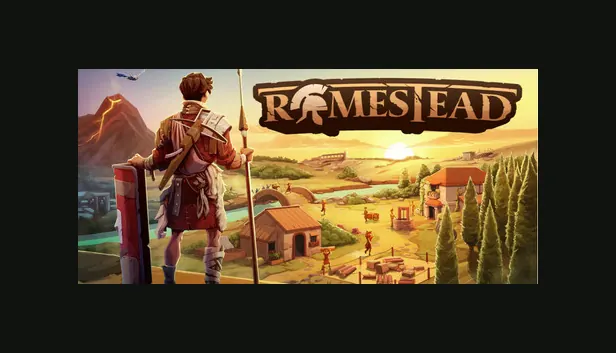
Use the official Romestead Steam page as the starting point for any PC download decision. Steam is the place to confirm whether the game can currently be purchased, wishlisted, played as a demo, or followed for update news. A fan wiki can explain the route, but it should not replace the store page for current platform, price, build, and availability details.
The important rule is simple: do not download Romestead from a random archive, torrent, password-protected file host, repack site, or page that promises an unlocked build. Those pages often target searches such as Romestead free download, Romestead PC download, and Romestead demo download because players are trying to find the game quickly. The safer answer is slower but clearer: check Steam first, then confirm any extra download link through an official developer channel before installing it.
This page is written for searchers who want the game, not for people looking for unofficial copies. It keeps the official Steam link prominent, separates verified availability from rumors, and gives you a checklist you can use before clicking any installer.
Best source
The official Steam app page is the safest public source for Romestead availability, purchase or wishlist options, news, screenshots, and community information.
Wiki stance
Romestead.blog does not host installers, cracked files, keys, repacks, or mirrors. It links players back to official sources.
Steam, demo, and release status
Search data shows that players look for Romestead Steam, Romestead demo, Romestead release date, and Romestead download together. These phrases are closely related, but they do not mean the same thing. Steam intent is navigational: users want the official listing. Demo intent is conditional: users want to know whether a playable trial exists right now. Release date intent is time-sensitive and must be checked against current official store information.
Because Romestead can change during its launch and Early Access cycle, treat exact dates, demo access, playtest windows, and system requirements as live facts. If Steam shows a demo button, install through Steam. If it does not show one, do not assume that a third-party page offering a Romestead demo is legitimate. If a developer post later links to a standalone build, compare the domain, account, and announcement history before trusting it.
For most players, the safest workflow is: open the official Steam page, sign in through Steam if needed, wishlist or install through Steam controls, and read recent posts or community announcements there. That keeps account security, updates, file integrity, and uninstall behavior inside a known platform.
Similar keyword checks show Romestead Steam and Romestead download as stronger, separate intents than generic guide searches. Treat Steam queries as navigational, download queries as safety-sensitive, and free-download queries as a warning sign unless Steam or the developer confirms a legitimate free option.
| Search phrase | Likely intent | Safe action |
|---|---|---|
| Romestead Steam | Find the official store listing | Open Steam app 1805320 and verify current details there |
| Romestead demo | Check whether a trial is available | Use only the demo option shown on Steam or an official developer channel |
| Romestead download | Install the PC game | Download through Steam rather than a reuploaded archive |
| Romestead free download | Look for a no-cost copy | Avoid cracked or mirror sites; check Steam for legitimate pricing or promotions |
What PC players should check first
Before installing Romestead, confirm the platform, current build state, storage requirements, controller or keyboard support, and any language or co-op notes on the Steam listing. These details matter more than a generic download button because they tell you whether your machine and expectations match the current game.
If you are following a guide, make sure the guide does not promise exact values without a visible update date. Survival RPGs with settlement systems often adjust resource balance, enemy pressure, economy pacing, and system requirements across patches. A good Romestead guide should say when it was updated and should point back to official notes for facts that can change.
After installing through Steam, keep the game updated through the client. Do not mix a Steam install with files from unofficial mirrors, because that can break updates, corrupt saves, or introduce malware. If you need troubleshooting help, use Steam discussions, official community posts, and guides that clearly separate confirmed facts from player advice.
Check system details
Review operating system, processor, memory, graphics, storage, language, and controller notes on Steam before installing.
Check update context
For Early Access or frequently updated games, recent patch notes are more reliable than old download pages or copied requirement lists.
Free download and cracked copy risks
Queries such as Romestead free download and download Romestead PC usually show that a player wants the fastest way to try the game. They should not be treated as permission to use a repack, cracked launcher, key generator, or archive mirror. Those pages can copy screenshots, mention Steam, and still have no connection to the developer or the official store.
If Steam lists a demo, promotion, playtest, or free weekend, use that official route. If Steam does not show a legitimate free option, assume that third-party free download pages are unsafe until an official developer channel confirms otherwise. This protects your PC, account, saves, and future updates.
A safe Romestead download page should therefore answer the free-download intent directly: check Steam first, avoid cracked builds, avoid mirror portals, and never disable antivirus or browser warnings to make an installer run.
Safe free option
Only trust a free demo, playtest, promotion, or weekend if Steam or an official developer channel links it.
Unsafe signal
A page asking for a password zip, crack, keygen, disabled antivirus, or manual DLL replacement is not a safe Romestead source.
Download claims to avoid
Avoid pages that use urgency and vague promises instead of verifiable source information. Examples include download buttons that do not show a publisher, archives split across ad-heavy hosts, password-protected zips, key generators, cracked launchers, and pages that ask you to disable antivirus software. A legitimate Romestead download should not require those steps.
Be especially careful with pages using near-match spelling such as Roamstead, Romestaed, or Romested. Misspellings can appear in normal searches, but they are also useful for low-quality download pages. If a page does not match the official game name, the official Steam app, or a known developer channel, treat it as untrusted.
The safest download advice is not complicated: official store first, official community links second, unknown mirrors never. If you are unsure, do not install the file. Search the file name, compare the domain with the official Steam listing, and wait for confirmation from a source you can verify.
Install troubleshooting before you search for mirrors
If the Steam install button is missing or the download fails, do not jump to a mirror. First check whether you are signed in, whether the game is available in your region, whether Steam is showing a demo or wishlist state instead of a purchase state, and whether your client has a pending update.
For PC compatibility, compare your system with the requirements shown on Steam, then check recent Steam posts or discussions for known launch issues. If a guide gives a requirement list without a date, treat it as secondary information.
If Romestead will not download in Steam, first confirm that the game is currently available to your account and region, then check free disk space, the selected download region, Steam’s download queue, and whether another update is using the library folder. Restart Steam and verify the official store page before searching for replacement installers; a third-party executable is not a safe fix.
| Problem | Safe check | What to avoid |
|---|---|---|
| No install button | Check Steam availability, account state, demo/playtest wording, and region notes | Using a third-party installer that claims to bypass Steam |
| Slow or failed download | Restart Steam, check storage, change Steam download region, and retry later | Downloading an archive mirror with unknown file integrity |
| Requirement uncertainty | Read the current Steam requirements and recent posts | Trusting copied requirement tables with no update date |
How to verify a Romestead download version
On August 13, 2026, this guide checked the official Steam AppDetails response and the Romestead store page. Both were reachable, but the public app data did not expose a package version or stable installer size. This page therefore does not claim a latest Romestead build or link to a guessed EXE or ZIP file.
Search results may mention versions such as 0.25.2 or 0.25.2.5. Treat those numbers as unverified until the official Steam listing or a developer announcement confirms them. A version-shaped filename is not proof that a download is official, current, or safe.
For the current Romestead download path, open Steam app 1805320, check the live listing and update context, and install through the platform controls. If the store changes, follow the official page rather than replacing it with a mirror.
Safe source checklist for Romestead downloads
| Check | Pass condition | Why it matters |
|---|---|---|
| Source | The download comes from Steam or a developer-linked official channel. | Reduces malware, tampering, and fake build risk. |
| Availability | The page clearly shows purchase, wishlist, demo, or playtest status. | Prevents confusing old pages with current access. |
| File behavior | No keygen, password zip, cracked launcher, or antivirus-disabling instruction. | These are common signs of unsafe downloads. |
| Update path | The install can update through Steam or an official launcher. | Keeps patches, fixes, and save compatibility manageable. |